[RTL8722CSM] [RTL8722DM] UART – Set Callback Function For UART Communications
Materials
Ameba x 1
USB to TTL Adapter x 1
Example
This example shows how to set a callback function for UART communication to process the UART data.
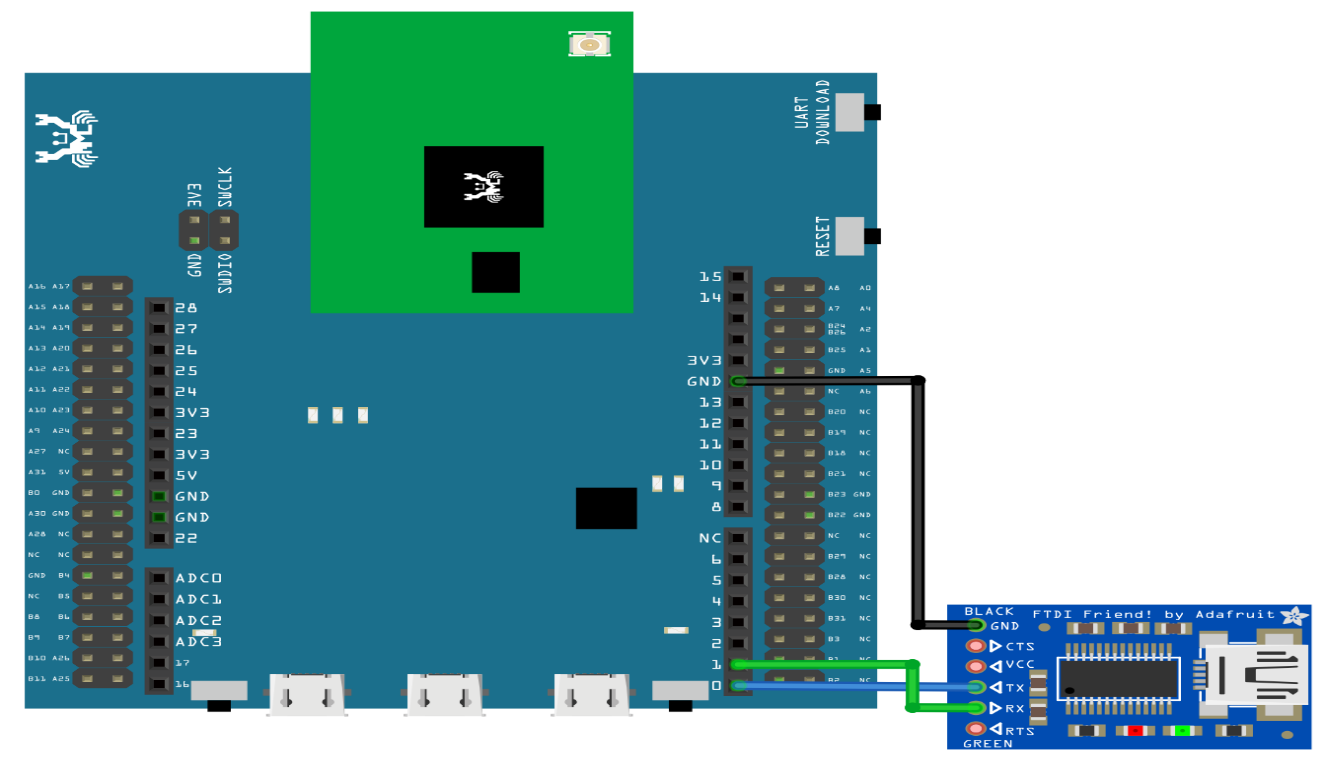
A USB to TTL adapter is required for this example. Ensure that you have the driver installed and connect it to the Ameba board as shown.
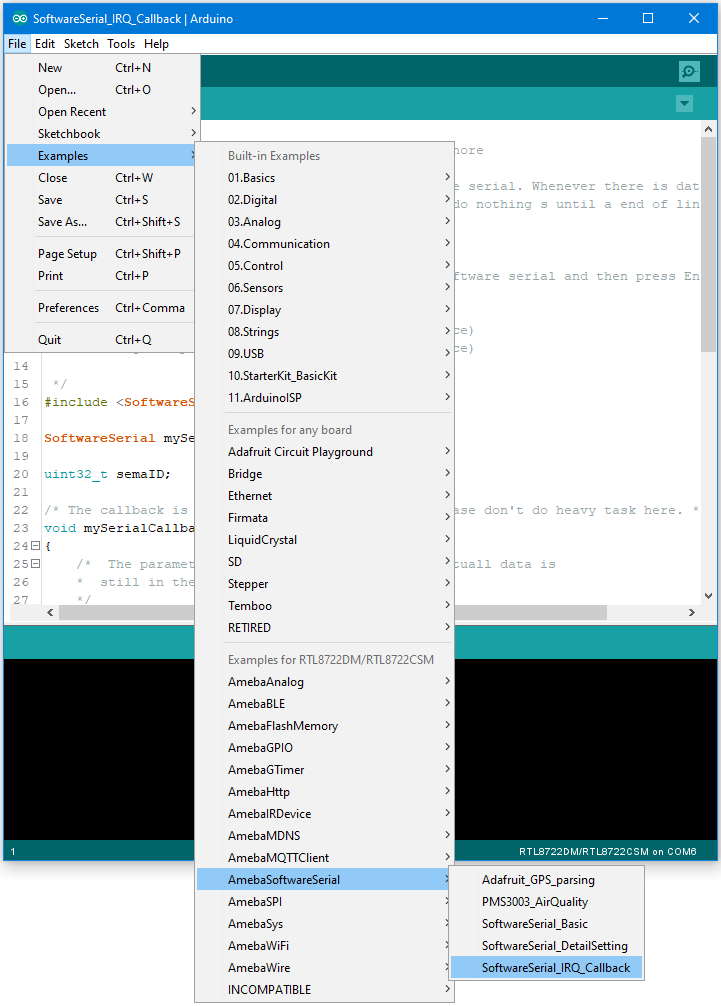
Open the example in “File” -> “Examples” -> “AmebaSoftwareSerial” -> “SoftwareSerial_Irq_Callback”
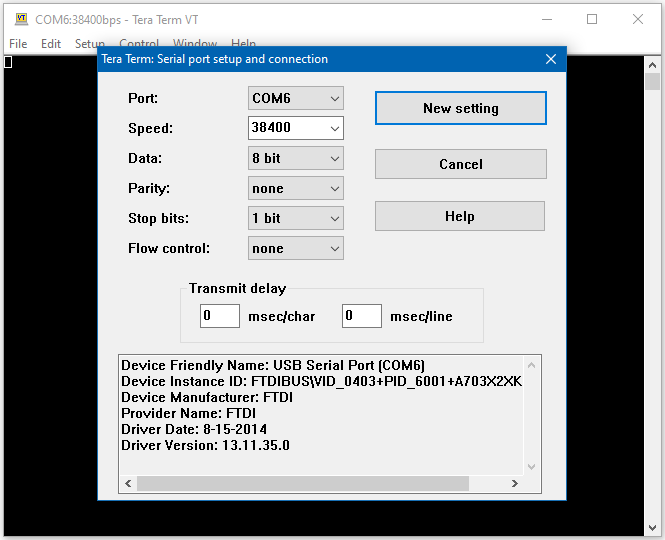
Speed: 38400
Data: 8 bit
Parity: none
Stop bits: 1 bit
Flow control: none
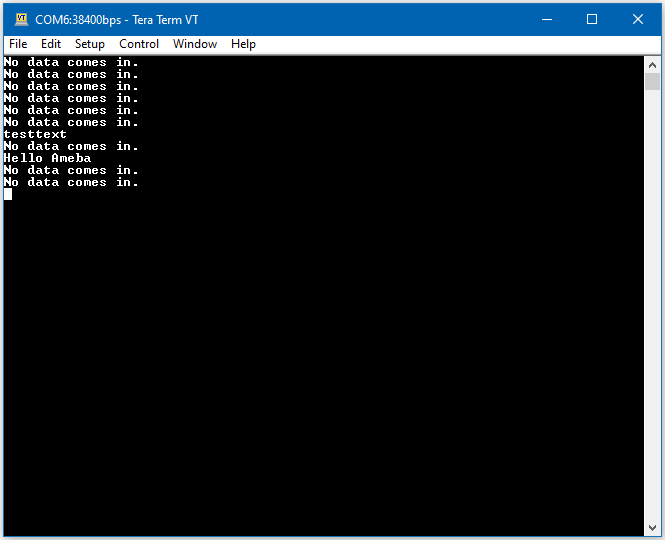
Once the serial port is open, type in the terminal and press the enter key, and you will see the corresponding output.
Code Reference
mySerial.setAvailableCallback(mySerialCallback); is used to set the function mySerialCallback as a callback function for software serial. When a new character is received, the callback function checks if the character corresponds to the enter key, and releases the semaphore if it is true, which in turn allows the main loop to print out all the previously received characters.